
AntScope Update: Improved Bluetooth Connectivity with RigExpert Analyzers
18.11.2026
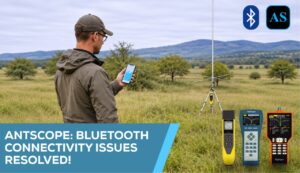
We’ve improved Bluetooth communication between RigExpert antenna analyzers and AntScope, addressing connection and measurement data transfer issues reported by users.
The improvements are available through updated analyzer firmware and new versions of the AntScope apps for PCs, smartphones, and tablets.
To benefit from these improvements, please update both your analyzer’s firmware and your AntScope app.
How to Update
- Download FlashTool for Windows or macOS from the RigExpert software page:
https://rigexpert.com/files/software/FlashTool/ - Connect your analyzer to your computer using a USB cable.
- Launch FlashTool and follow the instructions to install the latest available firmware. Keep the analyzer connected until the update is complete.
- Update AntScope through the app store on your smartphone or tablet.
- Update AntScope2 from the RigExpert website:
https://rigexpert.com/products/software/ - Restart your analyzer and AntScope, then reconnect via Bluetooth.
Thank you to everyone who shared feedback and helped us improve the experience of using RigExpert analyzers with AntScope.

